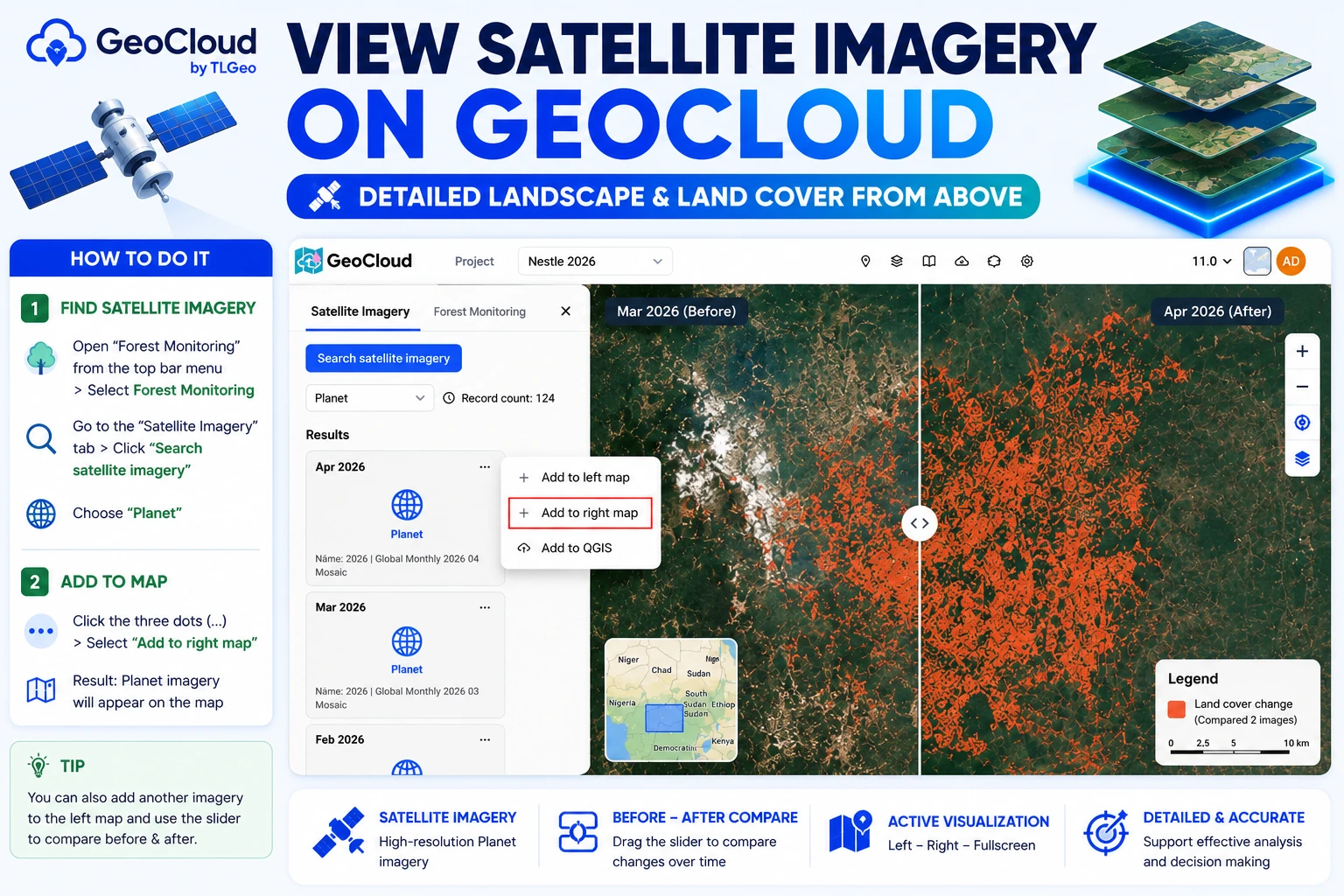
View Satellite Imagery on GeoCloud
GeoCloud supports displaying satellite imagery, helping you view terrain and landscape details from above.
Satellite Imagery Result
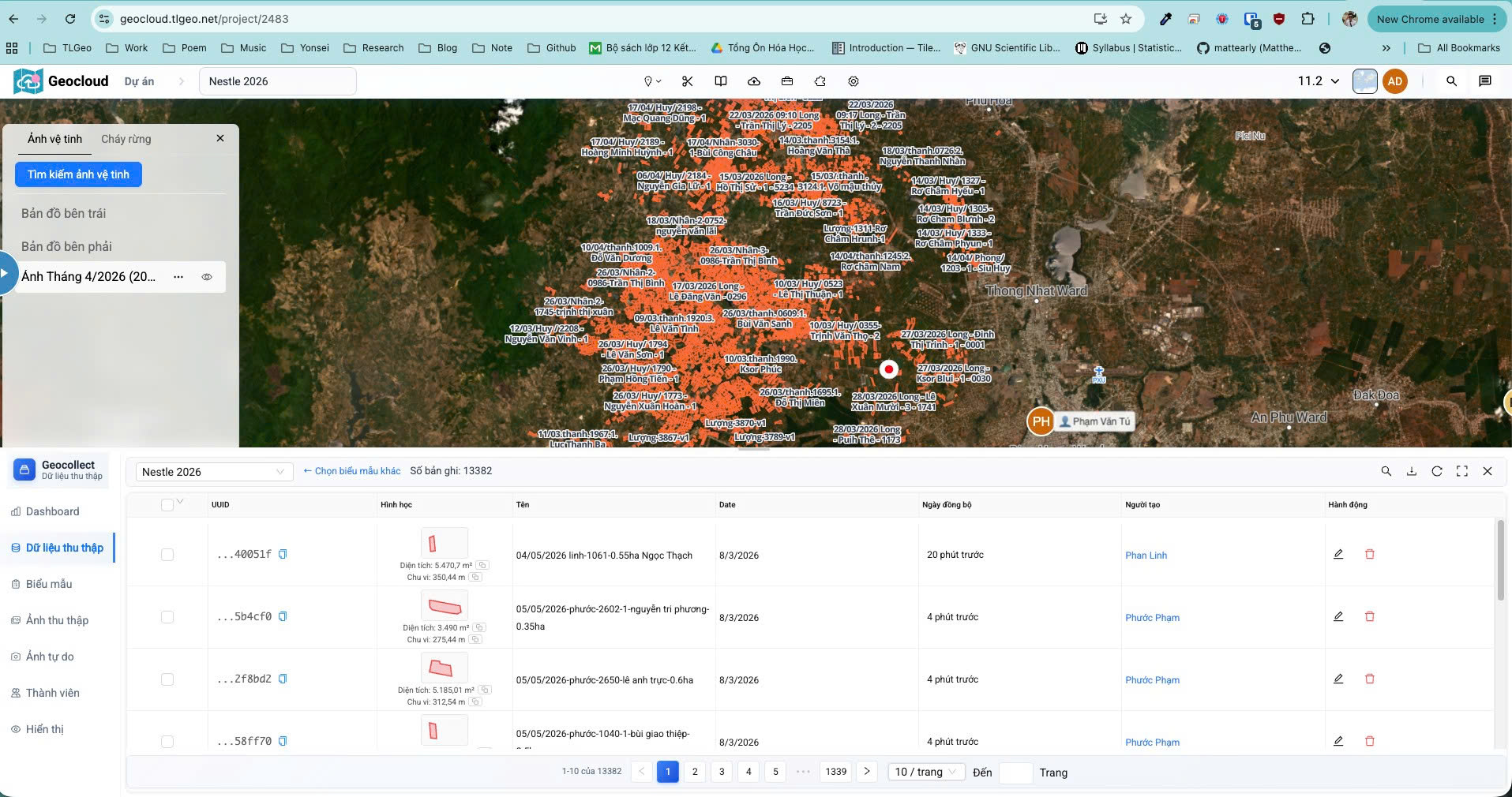
Steps to Follow
Step 1: Search for Satellite Imagery
- Open “Forest Monitoring” tool by selecting from the title bar > Click the down arrow button > Select Forest Monitoring
- From the “Satellite Imagery” tab > Click the “Search Satellite Imagery” button
- Select the “Planet” category
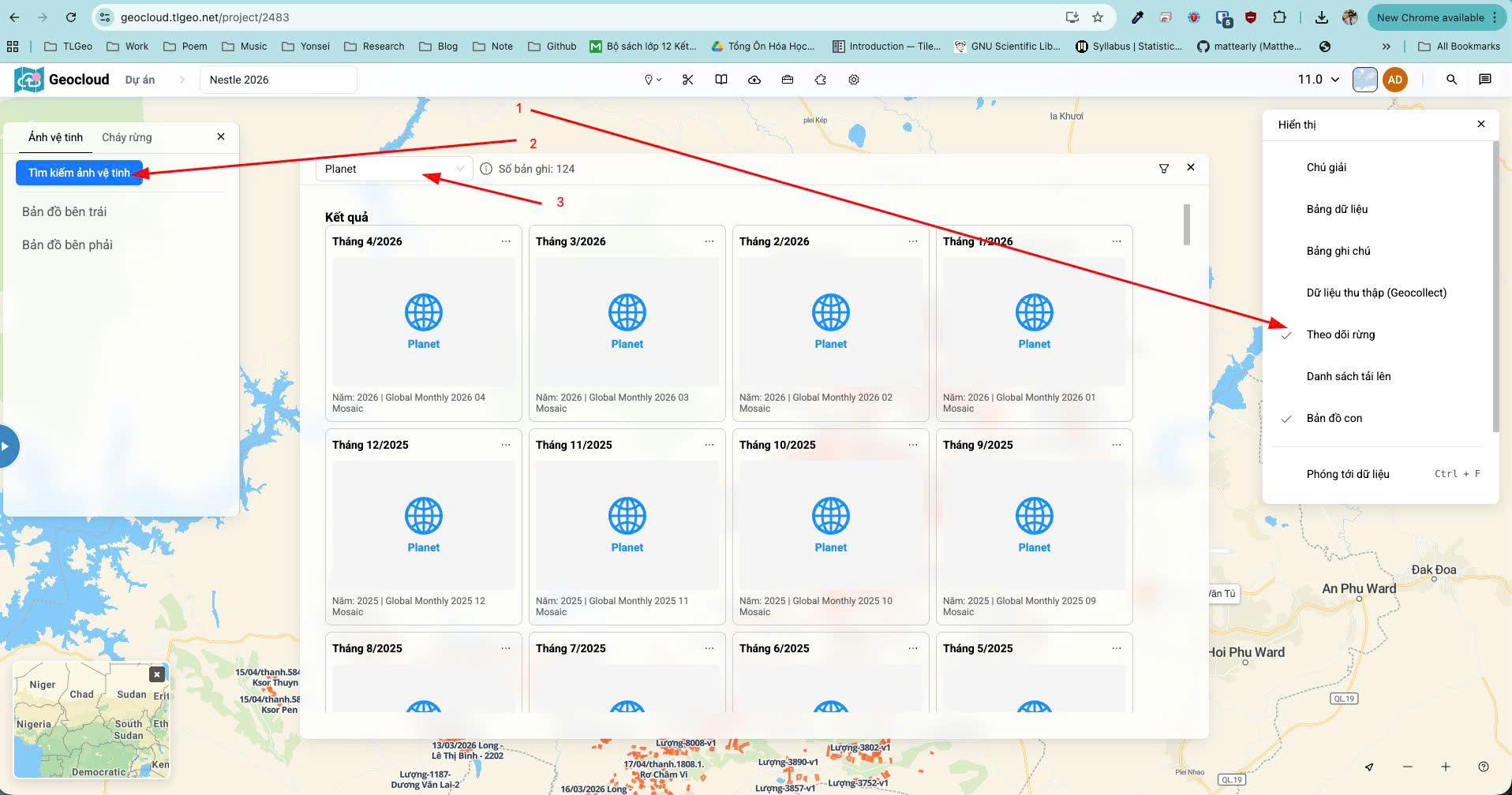
The result will display a list of Planet composite images as shown in the image.
Step 2: Add to Map
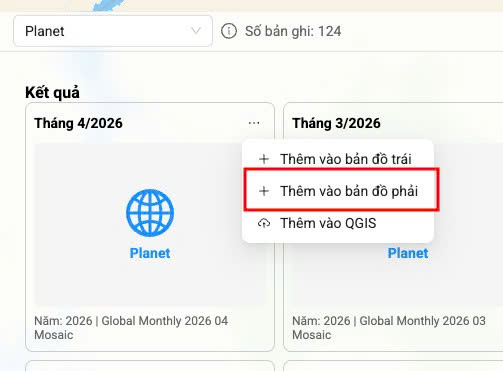
- From the (…) button, click “Add to right map”
The result will display the Planet imagery on the map.
Note: You can also add another image to the left map and use the “slider” to drag and compare before and after images.